
How to Download and Use AccessBet Safely in Nigeria
🎲 Learn how to safely download and install AccessBet app for secure football betting in Nigeria. Get device tips, security steps, and enjoy smooth betting experience today!
Edited By
Sophie Knight
AccessBet has carved out a solid reputation among Nigerian sports bettors for its straightforward platform and variety of betting choices, especially football—a favourite sport nationwide. Before you start using AccessBet on your PC, there are key points to keep in mind.
Firstly, ensure your PC is connected to a reliable internet source. Many Nigerians face frequent power outages; having a stable connection avoids interruptions during live betting, which can cost you. A desktop or laptop with a modern browser like Google Chrome, Mozilla Firefox, or Microsoft Edge is best for smooth navigation.

Registration is simple but requires valid details. Nigerian users must provide a working phone number and an email address. AccessBet also demands age verification to comply with local regulations, so keep a valid ID handy. Once registered, you can explore football leagues from Nigeria’s NPFL to international competitions like the English Premier League.
Funding your AccessBet account is straightforward. The platform supports local payment options familiar to Nigerians, such as Quickteller, Interswitch, and direct bank transfers from banks like GTBank, Zenith Bank, and Access Bank. Deposits are credited quickly, so you can start placing bets without delay. Withdrawal processes are equally smooth but double-check your bank account details to avoid hiccups.
Security is vital. Use strong, unique passwords and update them regularly. Avoid public Wi-Fi when placing bets or making transactions to reduce the risk of interception.
Navigation on PC is easier than on mobile, offering wider displays and quicker access to tabs like live betting, results, and your betting history. The platform also offers helpful features like match statistics and live score updates.
Taking time to understand how AccessBet works on your PC will give you a better edge in making informed bets and managing your funds securely.
To sum up, before diving in, make sure:
Your PC and internet setup are stable
Registration is completed with accurate data
You choose trusted local payment methods
Your account is secured with a strong password
These basics set a strong foundation for your betting experience on AccessBet, helping you focus on what matters most—the game and your gains.
Starting with AccessBet on your PC sets the tone for a smooth betting experience. This phase covers everything from creating your account to ensuring your PC and internet can handle the platform. For Nigerian users, it means navigating the platform with local details like BVN-based verification and accommodating Nigeria's varying internet speeds.
The registration process is straightforward and user-friendly. First, visit the AccessBet website on your PC, then fill in your details such as name, email, and phone number. The form also requests a secure password. After submitting, you'll get a prompt to verify your email or phone. This step stops fake registrations and keeps your account safe.
Verification on AccessBet involves using your Bank Verification Number (BVN) and your National Identification Number (NIN). These IDs confirm your identity, help prevent fraud, and ensure the platform complies with Nigerian laws. For example, AccessBet will cross-check your BVN and NIN to confirm you are who you say and you meet legal betting age.
Age and identity checks are non-negotiable here. Nigerian law requires that online betting platforms ensure users are at least 18 years old. AccessBet does this by matching your ID data during verification. This protects both the user and the platform from illegal activities and ensures responsible betting.
Using AccessBet on your PC works best with updated browsers like Google Chrome, Mozilla Firefox, or Microsoft Edge. These browsers support the platform’s features fully and reduce chances of glitches during live betting or making payments. For instance, an outdated browser may not load live scores properly or disrupt transaction confirmations.
Internet speed is a key factor. Nigerian users on broadband or 4G networks will notice quicker loading times and fewer interruptions during live matches or bet placement. At least 2 Mbps download speed is advisable for a decent experience, especially if you watch live streaming or access real-time odds.
Your PC should meet minimum specs for optimal performance: at least 4GB RAM and a modern processor (like Intel Core i3 or equivalent). This ensures smooth navigation without freezing or lagging, especially when switching between multiple betting markets or handling large bets.
Getting your account set up properly and making sure your PC and internet can handle AccessBet will save you headaches later. A little effort here goes a long way in making your betting experience hassle-free and enjoyable.
Navigating the AccessBet interface on your PC is fundamental to maximising your betting experience. It ensures you can find relevant sports events quickly, understand your bets clearly, and take advantage of promotions with ease – all of which save time and reduce errors.
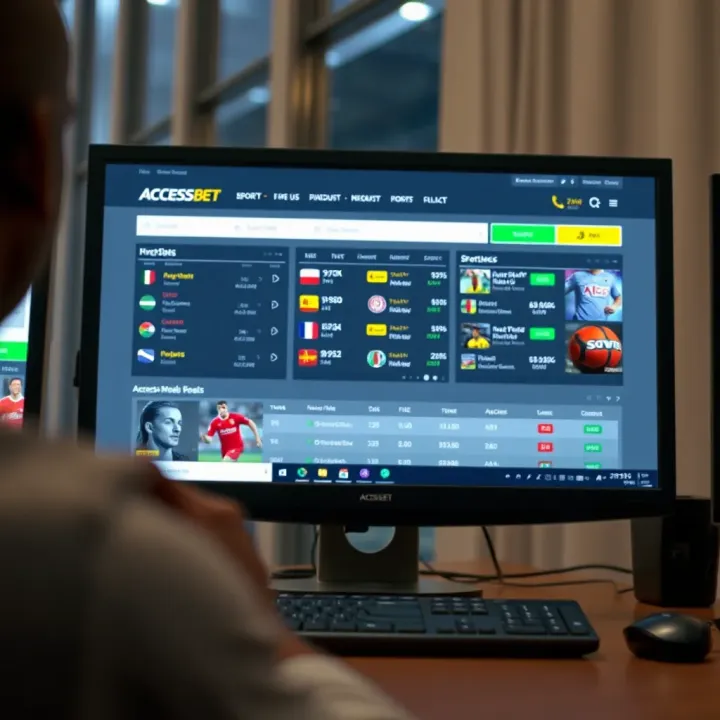
Locating sports categories and live events is straightforward on AccessBet's dashboard. The main menu typically displays popular sports such as football, basketball, and tennis. For Nigerian users, football remains the top choice, so having direct access to leagues like the Nigerian Professional Football League (NPFL) or the English Premier League is a big plus. Live events are shown separately or highlighted, allowing you to jump straight into ongoing matches. This helps you place in-play bets without getting lost in menus.
Understanding your betting slip is a key part of the dashboard interaction. Once you select a match and bet type, your picks appear on the slip in real-time. The slip shows odds, stake, and potential returns in naira, helping you gauge risk and rewards before confirming your bet. For instance, if you place a ₦2,000 bet on a 2.5 odds event, the slip will calculate your possible winnings as ₦5,000 – clear and instant.
Accessing promotions and bonuses is easy via a dedicated tab or a prominent banner on the dashboard. Keeping an eye on this section is worthwhile because Nigerian users often enjoy special bonuses like free bets or deposit matches, which stretch your betting budget. Checking this regularly ensures you don’t miss limited-time offers or event-specific boosts.
Selecting matches and bet types on AccessBet is user-friendly. After picking a sport, you can browse fixtures or filter by date and leagues. Bet types vary from straightforward win/lose to accumulators and handicaps. Choosing a bet type suits your style and strategy; for example, a cautious bettor might prefer single bets, while a risk-taker explores accumulators for bigger payouts.
Setting stake amounts in naira is clearly presented, making budget management simple. You enter the amount you want to wager directly, and the system ensures the minimum and maximum limits are respected. This prevents accidental overspending, which is crucial especially if you are using funds from your local Nigerian bank or fintech accounts.
Confirming and tracking bets involves reviewing your slip before hitting the confirmation button. The platform usually provides a summary of your active bets, making it easy to track outcomes and potential payouts. If you’ve bet on multiple matches, you can monitor each one's progress seamlessly without confusion.
Mastering the interface means you spend less time fumbling and more time enjoying the game and potential winnings. For Nigerian users juggling busy schedules and unstable internet, clear navigation and real-time updates make a massive difference.
When using AccessBet on your PC, knowing how to manage payments and withdrawals effectively is essential. For Nigerian users, this means understanding which deposit methods align best with local banking habits, and how to handle withdrawals securely and swiftly. This knowledge not only safeguards your funds but also helps avoid unnecessary delays.
Bank transfers remain one of the most trusted deposit methods for Nigerian bettors on AccessBet. You can easily fund your account by transferring funds from your GTBank, Zenith Bank, or Access Bank account directly into your AccessBet wallet. This method benefits from wide accessibility since most Nigerians already have accounts with these banks. For example, transferring ₦5,000 from your GTBank mobile app to your AccessBet account usually clears within minutes. However, always double-check that your bank details in AccessBet match the transfer recipient information to avoid payment complications.
USSD payments are another reliable option, especially for users who don't have smartphones or stable internet connections. Using a simple code like *901# or *737 linked to your bank account or mobile money wallet, you can transfer funds to your AccessBet profile. This method suits users often on the move or those in areas where internet services are patchy. Mobile money platforms such as Paga or OPay also offer quick and secure top-ups, bridging the gap for unbanked users keen on joining AccessBet.
Fintech services such as Paystack and Flutterwave integrate seamlessly with AccessBet to provide instant, hassle-free deposits. These platforms support multiple payment channels including card payments, mobile wallets, and bank transfers. They offer users the convenience of depositing using MTN Mobile Money or bank cards without leaving the AccessBet interface. For instance, a bettor can fund their account with just a few clicks through Paystack, reducing the typical waiting time seen with manual transfers.
Withdrawing your winnings on AccessBet is straightforward. After logging into your PC account, navigate to the withdrawal section, enter the amount you want to cash out, and specify your preferred bank account details. Nigerian users should ensure their bank account matches the registered profile to avoid transaction failures. Immediate alerts confirm your request has been submitted, giving you peace of mind.
Before funds move to your bank, AccessBet performs standard verification, including confirming your identity with BVN (Bank Verification Number), and cross-checking withdrawal amounts against betting history. These safeguards protect users from fraud and ensure compliance with Nigeria’s regulatory framework. Security checks might occasionally require you to upload valid identification documents, especially for larger withdrawals, but these steps help maintain a safe betting environment.
Note that keeping your BVN updated and linked properly speeds up withdrawal approvals and helps prevent avoidable hold-ups.
Typically, AccessBet processes withdrawals within 24 to 48 hours. However, delays can occur during peak periods such as ember months when many bettors cash out simultaneously. Network downtimes with banks or fintech platforms might also cause slight lags. To mitigate this, customers are advised to initiate withdrawals during off-peak hours and ensure their internet connectivity is stable.
By understanding these payment and withdrawal processes on AccessBet PC, Nigerian users can enjoy a smoother betting experience while minimising potential frustrations linked to fund management.
Staying safe while using AccessBet on your PC isn't just a good idea — it's necessary. Protecting your personal information and ensuring secure betting practices will help you enjoy the platform without risking your data or money. In Nigeria, where internet fraud and cyber threats are common, taking proactive steps can prevent costly mistakes.
Creating strong passwords is the first line of defence for your AccessBet account. Avoid simple combinations like "123456" or your birthdate, as hackers can easily guess these. Instead, use a mix of uppercase and lowercase letters, numbers, and special characters. For example, something like "Ab3$k!2024" is much safer. Also, change passwords often and don't use the same one across multiple platforms, especially your email or bank accounts linked to AccessBet.
Enabling two-factor authentication (2FA) adds another protective layer on top of your password. This means that even if someone manages to get your password, they cannot login without the additional security step—often a code sent to your phone. AccessBet supports 2FA via apps like Google Authenticator or SMS. This feature is critical because it minimises the risk of unauthorised access and gives you added control over who uses your account.
Recognising phishing attempts is essential for every online bettor. Phishing involves fake emails or messages pretending to be AccessBet, asking for your login details or financial information. Be wary of any communication that demands immediate action or contains suspicious links. For instance, a message claiming your account will be locked unless you confirm your password is likely a scam. Always check the sender's email and avoid clicking unknown links. When in doubt, go directly to the AccessBet website instead of trusting message instructions.
Using secure networks and avoiding public Wi-Fi is a simple but effective safety measure. Public Wi-Fi in Lagos chaotically opens doors for cybercriminals to intercept your data. Betting on an open network at a cafe or market increases the chance your login details or payment info may be stolen. Instead, opt for your home Wi-Fi with a strong password, or use mobile data when placing bets for a safer connection.
Keeping your PC free from malware protects both your device and your AccessBet account. Malware can record keystrokes or steal files silently. Regularly scan your PC using reliable antivirus software like Kaspersky or Bitdefender, both available in Nigeria. Avoid downloading files or programmes from untrusted sources, as these often hide malicious codes.
Regularly updating browser and software ensures you have the latest security fixes. Outdated browsers or operating systems often have vulnerabilities hackers exploit. For example, if you're using an old version of Chrome or Firefox, you could be at higher risk. Updates patch these weak points, improving your PC’s resilience. Besides security, updates can improve speed and compatibility with betting sites like AccessBet.
Remember, securing your AccessBet PC setup is not a one-time job but a continuous effort. These habits not only safeguard your betting but also protect your broader digital life in Nigeria’s online environment.
By following these tips, you will reduce the chances of hitting trouble and focus on enjoying the thrill of betting smartly and safely.
Even the best platforms like AccessBet can throw a curveball. For Nigerian users, where internet conditions and device varieties differ wildly, knowing how to quickly troubleshoot common issues helps keep betting smooth and enjoyable. Whether it's trouble logging in or payment delays, handling problems effectively saves time and frustration.
Password recovery steps are essential when you forget your login details. AccessBet makes this straightforward; just click the 'Forgot Password' link, enter your registered email or phone number, and follow the instructions sent via SMS or email. The process usually completes within minutes, getting you back into your account quickly, which is especially handy when you want to catch live games or place urgent bets.
Dealing with account lockout happens most times after multiple failed login attempts. AccessBet locks accounts temporarily as a security measure against hacking. To lift the lockout, wait for the cooldown period mentioned in your account notification, or contact customer support directly. Avoid guessing passwords repeatedly; use password managers or secure notes to keep your details safe and accessible.
Checking internet connectivity is often overlooked but crucial. A weak or unstable connection can prevent you from accessing the site or cause disruptions during live betting. Use your PC's network settings to confirm stable Wi-Fi or Ethernet connection. If you're on a mobile data hotspot, confirm your data bundle is active and speeds are good enough for streaming and interaction. Having a backup plan like switching from Wi-Fi to mobile data helps reduce downtime.
Verification failed issues usually arise when your ID documents or details (like BVN or NIN) do not match records or are incomplete. This is common in Nigerian settings due to inconsistent data entry or expired identification. Ensure all your profile information matches exactly with your official documents before request verification. Double check photo clarity and file format when uploading documents.
Delayed payments solutions matter because Nigerians rely heavily on quick access to winnings. Delays can be due to downtime during bank processing hours, network glitches, or pending verification. To minimise delays, always transact during banking hours on weekdays and confirm your bank account details carefully. If a withdrawal stalls beyond 48 hours, reach out to AccessBet's support with your transaction reference for prompt resolution.
Customer support contacts are your lifeline when issues slip past self-help steps. AccessBet provides direct chat, email, and hotline options tailored for Nigerian users. Keep these contacts handy to avoid frustration during urgent problems. Reliable support teams often understand local challenges like interruption from NEPA power outages and can guide you through alternative steps to keep betting active.
Troubleshooting is not just about fixing issues; it's about understanding how AccessBet interacts with local realities such as internet speed, identity verification challenges, and banking practices. Mastery of these fixes keeps your betting experience both secure and uninterrupted.
🎲 Learn how to safely download and install AccessBet app for secure football betting in Nigeria. Get device tips, security steps, and enjoy smooth betting experience today!
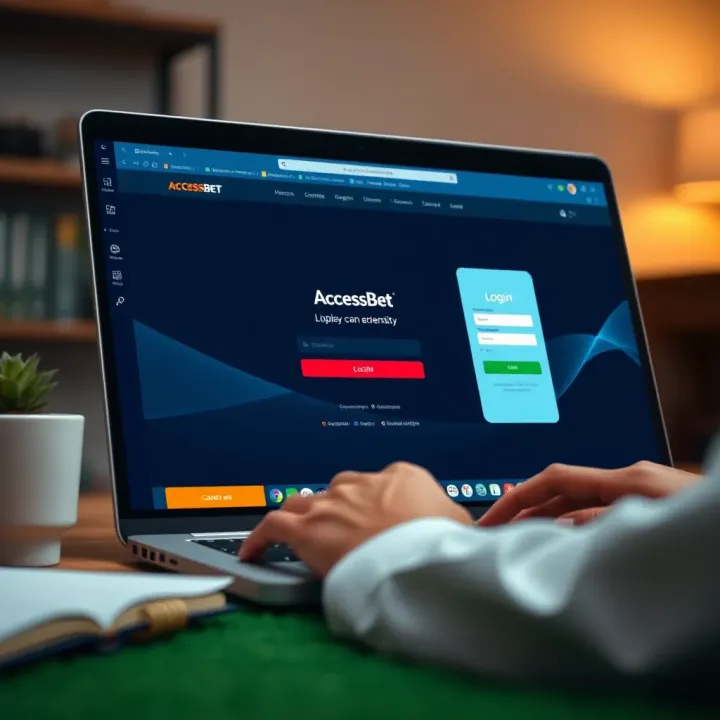
⚽️ Discover how to access and use AccessBet in Nigeria—register, log in, verify your account, and explore payment options for safe betting with real ₦ stakes.

🎯 Learn how to use AccessBet promo codes for smooth registration in Nigeria! Grab bonuses, avoid mistakes, and boost your betting experience today 💰🔥
📲 Learn how to download, install, and register on the AccessBet app in Nigeria. Get security tips, features, and troubleshooting guidance for smooth betting experience! 🇳🇬
Based on 13 reviews